


April 23, 2022
Mule Domain Project and Hybrid Deployment
TL;DR
- What hybrid deployment is: Runtime Manager on CloudHub deploys and manages Mule apps on your own Mule servers, so you keep on-premises control while managing everything from the cloud.
- Why teams choose it: the same APIs run across cloud and on-premises, workloads that must stay on-premises for security or compliance keep full functionality, and apps move between environments without code rewrites.
- What a Mule Domain Project does: it holds resources shared by several Mule applications; each application links to one domain, while one domain can serve many applications.
- The port problem it solves: a shared HTTP Listener in the domain lets every on-premises app run on the same default port (8081), separated by paths.
- How to set it up: create the domain in Anypoint Studio, add shared global elements, link each app to the domain, then deploy the domain JAR to MULE_HOME/domains and the app JARs to MULE_HOME/apps.
What is Hybrid deployment?
- With the hybrid deployment option, you can deploy your apps from the Runtime Manager cloud console to your Mule servers and use the Runtime Manager on CloudHub to manage them.
- This option provides you with the flexibility and control over your on-premises security but requires you to provide the hosting infrastructure.
- To use the hybrid option, you first register your Mule servers with the Runtime Manager agent. Then, from Runtime Manager, you can optionally add these servers to server groups or clusters to provide high availability. Finally, you can deploy your applications from the Runtime Manager to either a server, server group, or a cluster.
- Mule Applications can be run on servers hosted on-premises or in the Cloud.
Why do we need Hybrid deployment?
- Anypoint platform’s hybrid cloud functionality, built into the Mule Runtime architecture, allows organizations:
- To run the same APIs or applications across multiple cloud environments or on-premises.
- That cannot move to the cloud due to security or compliance reasons to run Mule apps on their own on-premises infrastructure without loss of functionality.
- To communicate with servers on their intranet from Mule applications without having to set up a VPC on CloudHub.
- Manage runtimes across a hybrid IT environment from a single management view.
- Move apps between cloud and on-premises environments without rewriting code.
- Utilize shared resources using domain project.
- Leverage existing load balancers for vanity domains.
What is Mule Domain Project?
- A Mule Domain Project is implemented to configure the resources that are shared among different projects.
- These resources can be used by all the projects associated with this domain.
- Mule applications can be associated with only one domain, but a domain can be associated with multiple projects.
How can Mule Domain project help in a Hybrid deployment model?
- When you deploy a Mule application with an HTTP Listener to a Mule runtime hosted on-premises, each application needs to be deployed on a different port, or you will get an error.
- To avoid getting into an error situation, you can deploy a Domain project with an HTTP Listener connection. This Domain project can be referred by all the other applications in the same runtime, so you can run all the applications on the same default port (i.e., 8081) separated by paths. For example, you can have 2 REST APIs running on your on-premises Mule runtime with URLs like `https://api.mycompany.com/api/v1/first` and `https://api.mycompany.com/api/v1/second`
Limitations:
- Defining flows, sub-flows, or any message processors as shared resources is not supported. Domains are not meant to share behaviour. They are meant to share resources only.
Mule Domain Project and Hybrid Deployment – Implementation Steps
A. Create a New Mule Domain Project:
To create a new Domain in Anypoint Studio:
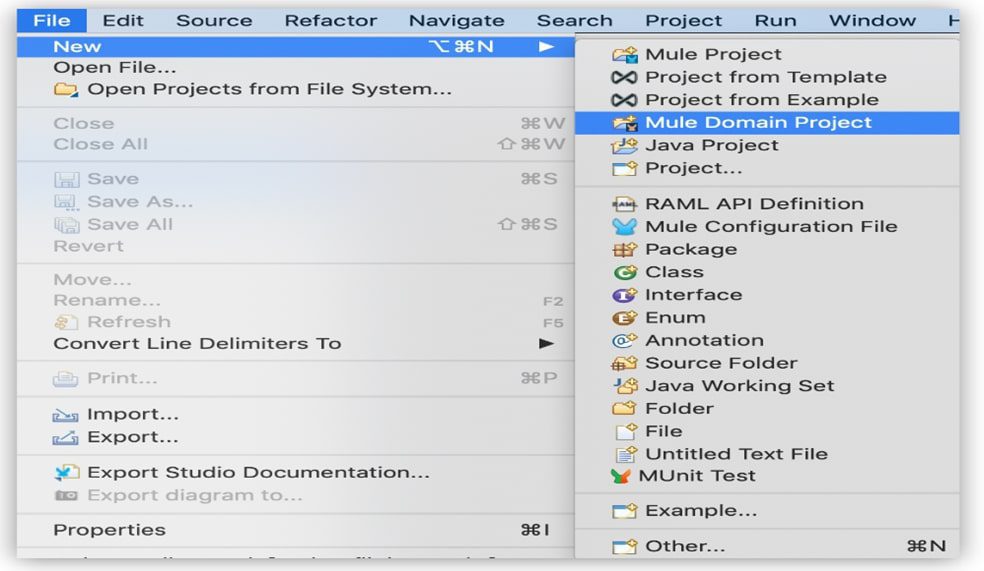
- In the top menu bar, select File > New > Mule Domain Project.
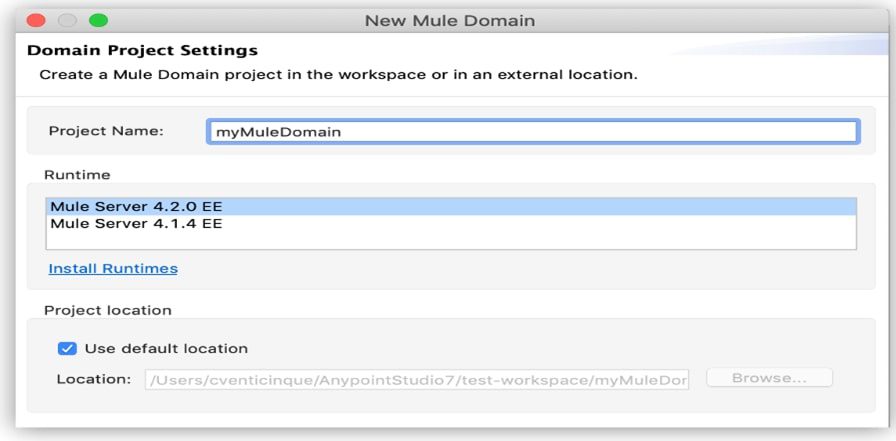
- Fill in the same fields as you would with a regular Mule Project:
B. Configure Shared Resources by using the Global Elements Tab:
Configure shared resources by using the Global Elements tab in Anypoint Studio to first add a module to your domain project and then create a global element.
For example, to add Anypoint Connector for HTTP (HTTP Connector) to your domain project:
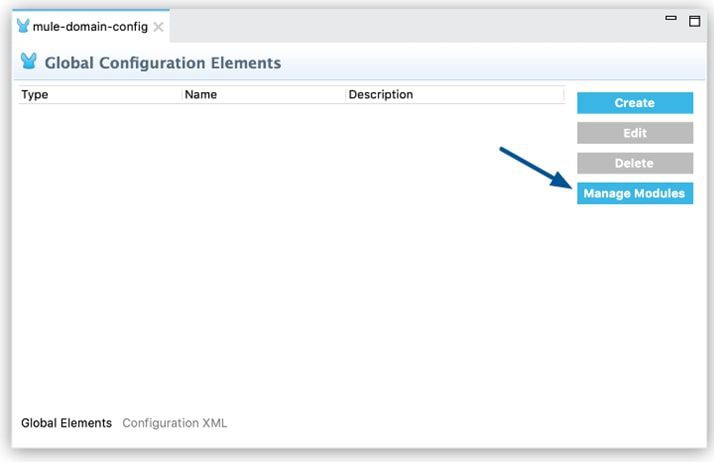
- In the Global Elements tab, click Manage Modules:
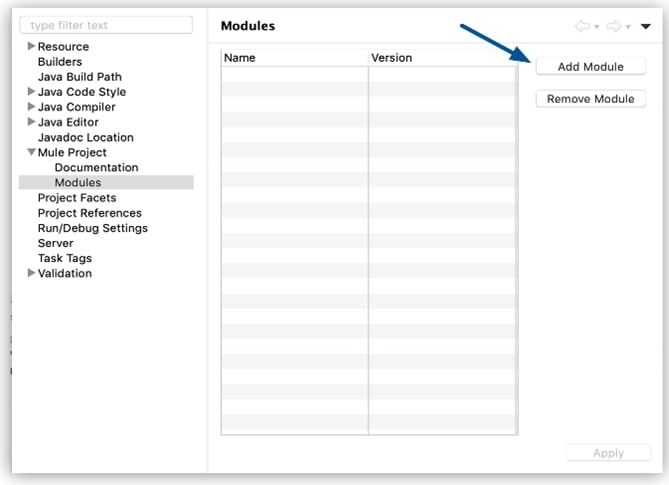
- Click Add Module:
- Search for the module you want to add and click Add >:
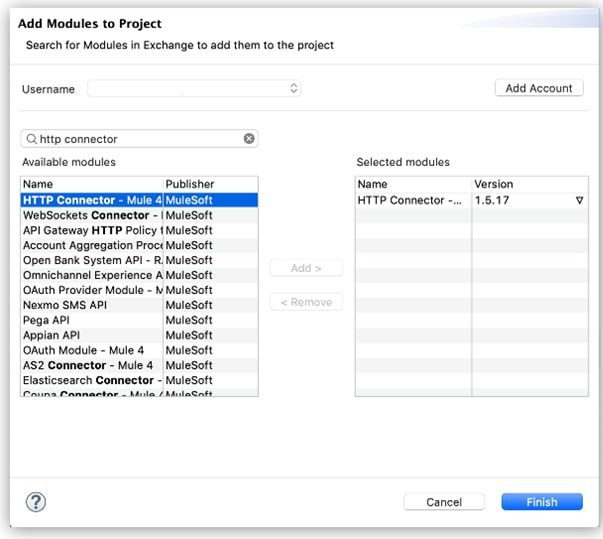
- Click Finish.
C. Create Global Element:
After you add the HTTP connector to the domain project, you can create a global element to use as a shared resource:
- In the Global Elements tab, click Create:
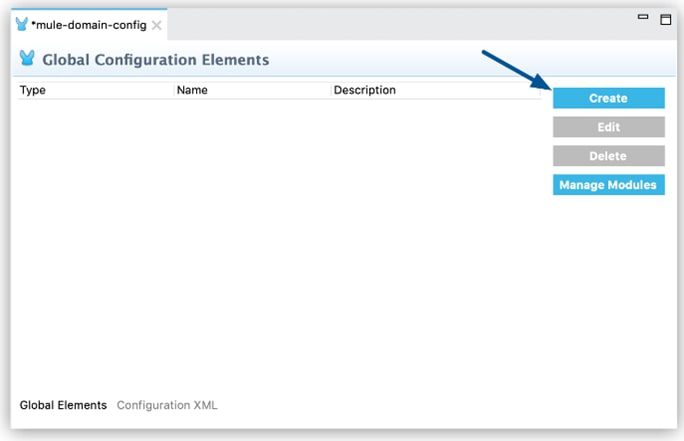
- Select the HTTP Connector and complete the configuration process:
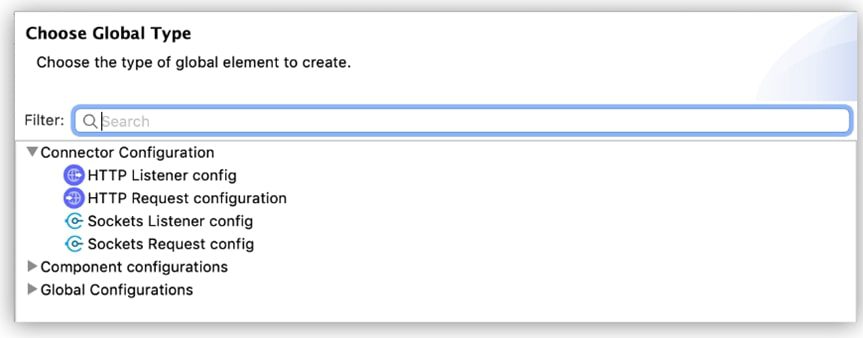
- Define the configurable parameters of your global element in the Global Element Properties window.
D. Associate a Mule App with a Domain Using Studio
To associate a Mule application with a Domain from Studio, follow these steps:
- In the Project Explorer or Package Explorer view, right-click the Mule application.
- In the menu that opens, click Properties.
- From Properties, click Mule Project.
- In the Domain field, select a domain for your project.
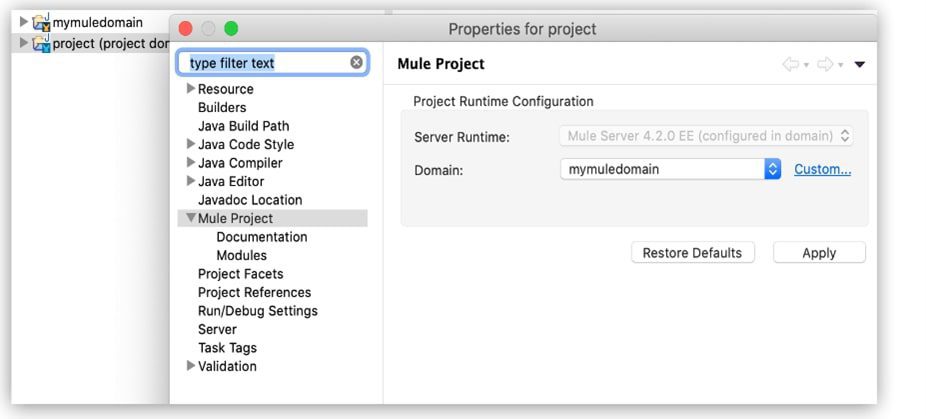
- After completing these steps, Studio includes the domain in the pom.xml for your project
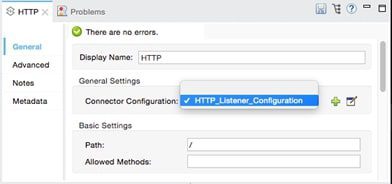
- In Studio’s visual editor, you can simply pick the shared resource out of the dropdown list in the Connector Configuration field of the connector’s properties editor:
E. Deploying Domain Project in Mule on-premises Server:
The following steps describe how to deploy domain project and the Mule applications into a Mule on-premises Server.
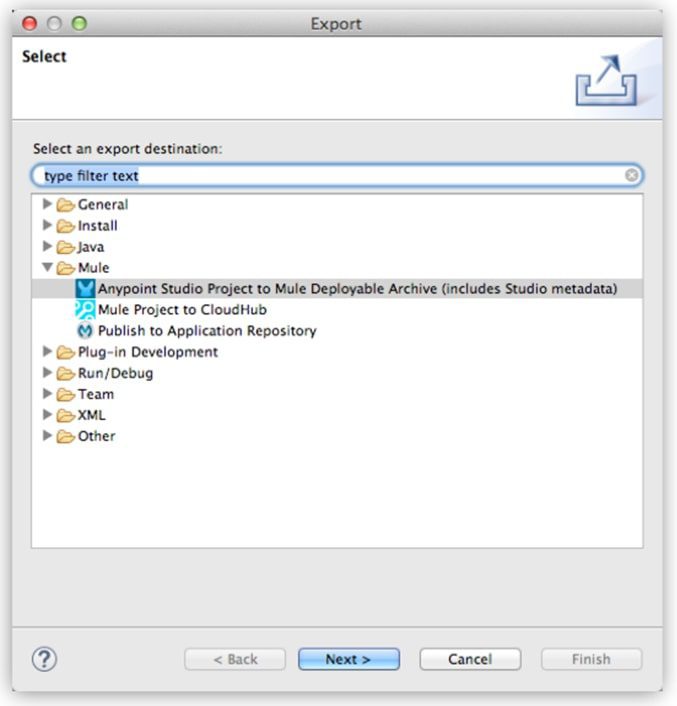
- In Studio, select File > Export.
- Select Mule > Anypoint Studio Project to Mule Deployable Archive (includes Studio metadata).
This process creates a JAR file that you can deploy to a standalone Mule runtime engine.
- Copy the exported domain’s JAR file to MULE_HOME/domains.
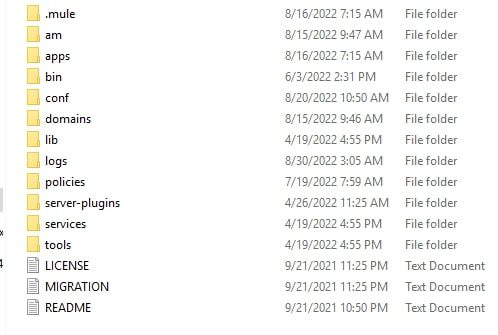
- The folder structure must look like this:
- Export each Mule application that you want to deploy with the associated domain.
- Copy the exported JAR files for each Mule application that references the domain into the MULE_HOME/apps folder.
- Start Mule via the command console.
- When Mule starts, it first deploys any domains found in the MULE_HOME/domains folder, and then it deploys the Mule applications in the MULE_HOME/apps folder so that all domains are fully started before the Mule applications start.
Recent Blogs

Will AI Replace Contract…
3 August, 2026
3 August, 2026

Salesforce & AI: How…
27 July, 2026
27 July, 2026

Is Your Organization AI-Ready?…
20 July, 2026
20 July, 2026

How Vertex Powers AI…
13 July, 2026
13 July, 2026

How Vertex Integrates AI…
6 July, 2026
6 July, 2026

3 Way How Vertex…
29 June, 2026
29 June, 2026

Automating Everything at Once?…
22 June, 2026
22 June, 2026

Executive Dashboards are Useless…
15 June, 2026
15 June, 2026
Recent News

Vertex Longevity Awards 2026
26 February, 2026
26 February, 2026

Reconnecting Beyond Work
6 December, 2025
6 December, 2025

Work Hard, Party Harder: Fun Night 2025
1 August, 2025
1 August, 2025

Run for a Girl Child 2.0: Vertex Team…
2 February, 2025
2 February, 2025

Vertex Hosts Novelis Leadership for Strategic Visit to…
14 November, 2024
14 November, 2024

Vertex Inaugurates New Office Space: Celebrating a Fresh…
4 November, 2024
4 November, 2024

WRE CEO Award
1 August, 2024
1 August, 2024

A night of fun and team spirit at…
6 March, 2024
6 March, 2024