
Case study: Microsoft
How Vertex automated HR requisition approvals with a scalable Power Platform solution
Streamlining New Hire & Replacement Requests
Case Study at a Glance
Client
Global manufacturing enterprise managing a large, distributed workforce across multiple plants and business units
The Problem
- Manual and inconsistent HR requisition process for new hires and replacements
- Approval delays caused by scattered email approvals and lack of workflow transparency
- Limited auditability and compliance tracking across multi-level approvals
The Solution
- A scalable Power Platform–based solution to automate requisition creation and approvals
- Dynamic PowerApps forms tailored to new hire and replacement requests
- Three-level approval workflow (Manager → Plant Director → BU Director) with deep-linked email approvals
- Data stored securely in SharePoint Online with versioning and access managed via Azure AD dynamic groups
The Result
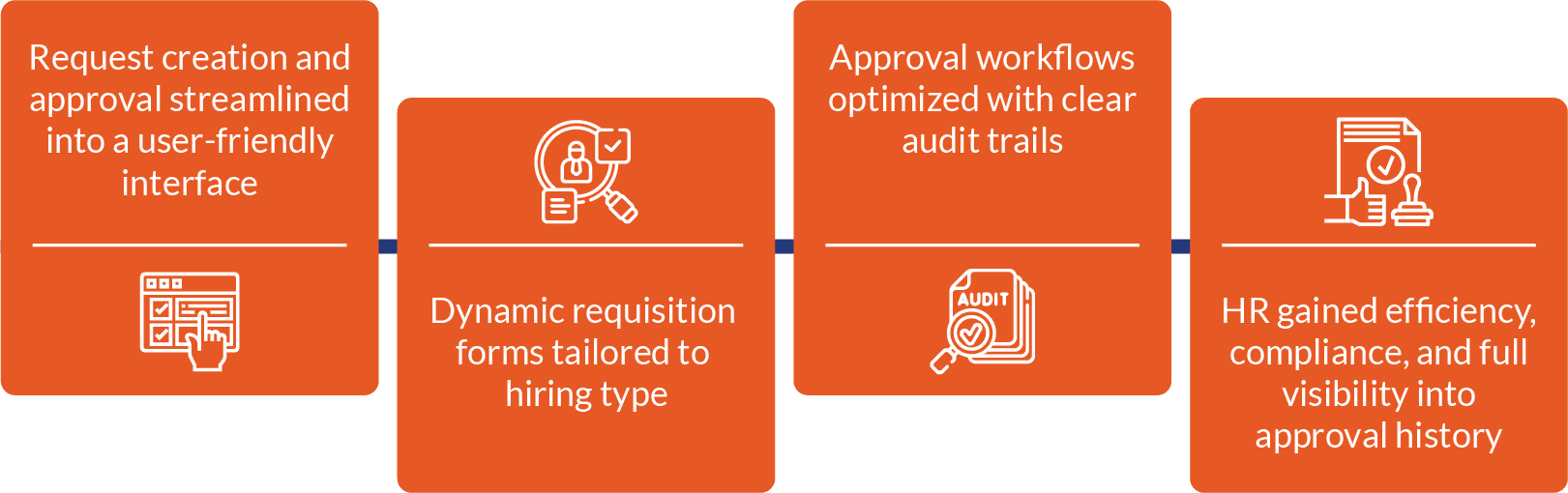
- End-to-end automation eliminated manual bottlenecks and approval errors
- Faster onboarding cycles and improved compliance through auditable workflows
- Centralized visibility for HR teams into request status and approval history


Client Overview
A global manufacturing company managing a large workforce across multiple plants and business units.
The HR team needed an efficient system to onboard new employees, whether as replacements or for newly created positions, while ensuring compliance with multi-level approvals.
The Challenge
The existing onboarding process was manual, time-consuming, and error-prone.HR required a dynamic application that could:

Approval processes were inconsistent, with random email approval failures leading to delays and inefficiencies.
Business Impact
Vertex implemented a Power Platform–based solution that eliminated manual bottlenecks and improved accuracy in requisition approvals.
What We Delivered
- A unified PowerApps solution integrating inventory adjustments and mismatch records in a single platform
- Automated discrepancy detection with approval routing based on variance size
- Custom Power Automate workflows to trigger approvals and notifications
- Automated data migration from SAP to SharePoint using RPA
- Enhanced database security with controlled access through SharePoint Online
- Customizable configurations allowing admins to adapt business logic directly via SharePoint lists
Technical Highlights
- Microsoft PowerApps – Delivered a modern, user-friendly interface for adjustment creation and review
- Microsoft Power Automate – Automated approval routing and data transfer
- SharePoint Online – Enabled centralized, secure data management
- Microsoft Authentication – Ensured secure access and data integrity
- Y–Y Analysis Framework – Identified root causes of recurring discrepancies for preventive measures

Case study: Data & Analytics

Case study: Microsoft


Case study: Microsoft

Case study: Power Platform

Case study: Microsoft



Case study: Digital Transformation

Case study: Digital Transformation