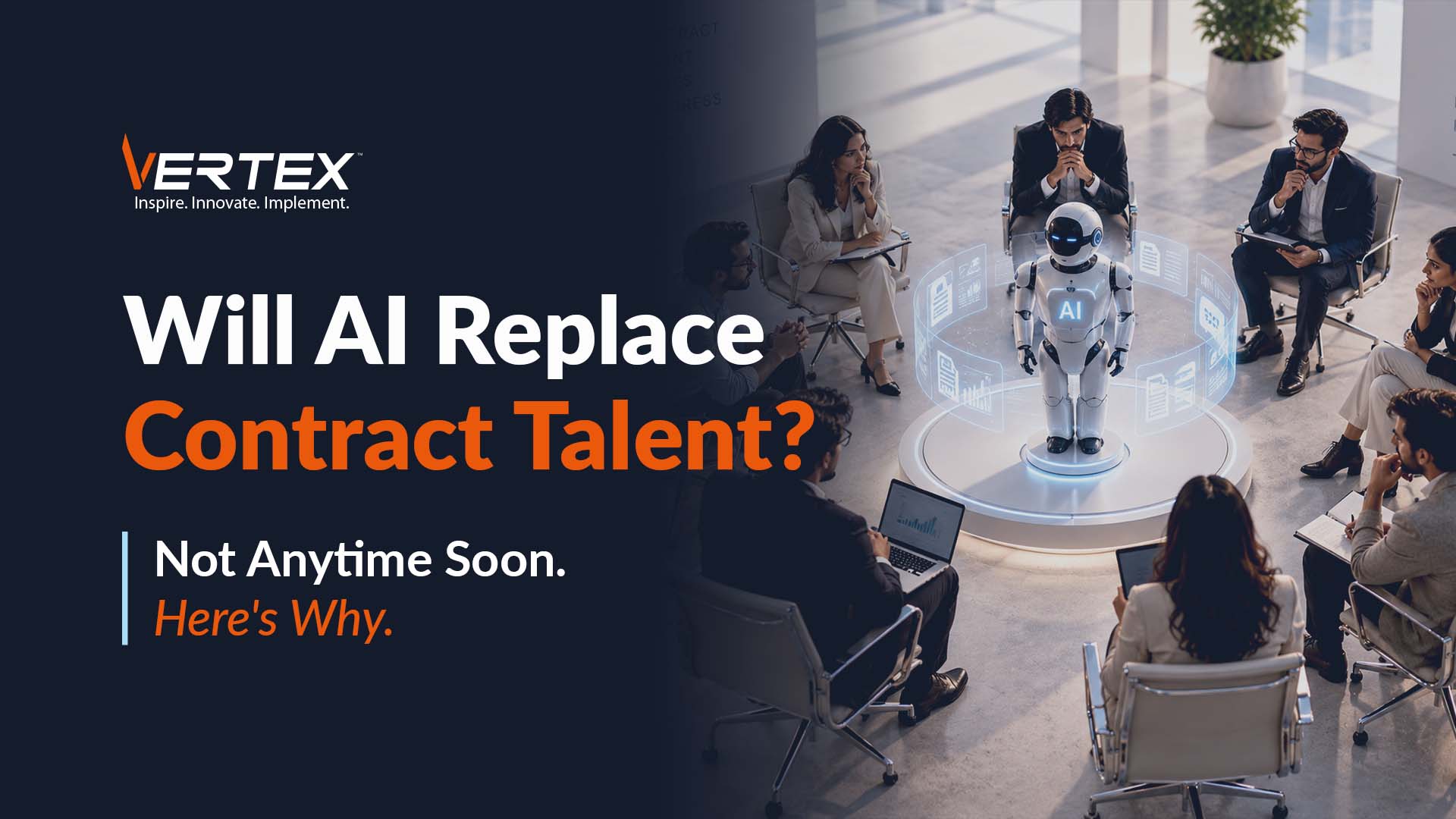
Will AI Replace Contract Talent? Not Anytime Soon. Here’s Why.

Artificial Intelligence is transforming the way businesses operate.

From writing code and analyzing data to automating workflows and generating reports, AI is helping organizations become faster, more efficient and more productive than ever before.

Naturally, this has sparked an important question among business leaders: If AI can do so much, will companies still need contract talent?

The short answer is yes and perhaps even more than before.

While AI is reshaping how work gets done, it is also creating new skill requirements, accelerating digital transformation and increasing demand for specialized expertise that AI simply cannot replace.

In fact, according to the World Economic Forum’s Future of Jobs Report 2025, AI and automation are expected to create 170 million new jobs globally while displacing 92 million, resulting in a net gain of 78 million jobs by 2030.

Rather than replacing talent, AI is changing the kind of talent organizations need. Here’s why contract professionals will continue to play a critical role in the AI era.

AI can Generate Output. Experts turn it into Business Outcomes

AI is remarkably good at generating content, summarizing information, writing code snippets and answering questions. However, it doesn’t understand your organization’s business objectives, compliance requirements, customer expectations or operational complexities.

For example, an AI assistant may generate SQL queries or Power BI visuals. But deciding which metrics matter, integrating data from multiple enterprise systems, validating business logic, and ensuring governance still requires experienced professionals.

Similarly, AI can help developers write code faster, but architecting a scalable cloud platform, designing secure integrations, or modernizing legacy applications still requires human expertise.

AI is Creating New Skill Gaps Faster than Organizations can fill them

Ironically, AI adoption is increasing and not reducing the demand for specialized technology talent.

Organizations now need professionals who understand:

  • AI implementation
  • Cloud platforms
  • Data engineering
  • Microsoft Copilot
  • Power Platform
  • Salesforce AI capabilities
  • Cybersecurity
  • Data governance
  • Enterprise integrations

Finding permanent employees with these skills is becoming increasingly difficult. Contract staffing enables organizations to quickly access highly specialized professionals exactly when they need them.

AI doesn’t Eliminate Projects, rather it Accelerates them

As AI makes routine tasks faster, organizations aren’t slowing down. They are launching more transformation initiatives.

Businesses are simultaneously:

  • Migrating to the cloud
  • Implementing Microsoft Copilot
  • Building AI-powered customer experiences
  • Modernizing ERP and CRM systems
  • Deploying advanced analytics
  • Automating workflows

Each initiative requires experienced professionals to plan, implement, integrate, test and optimize solutions.

According to Gartner, by 2027, 80% of software engineering organizations will use AI-augmented development tools, increasing development speed but also increasing the need for professionals who can oversee architecture, quality, governance, and deployment.

So while AI reduces repetitive work it often increases the number of strategic projects organizations can pursue.

Human Skills are becoming more Valuable, not Less

Technology continues to evolve rapidly, but many business challenges remain deeply human.

Successful transformation requires stakeholder management, business process redesign, cross-functional collaboration, strategic decision-making and more. These are areas where AI can assist but not lead, at least till now.

Organizations still need experienced consultants, architects, project managers, business analysts and domain specialists who can bridge technology and business outcomes.

Contract  Talent gives Businesses the Flexibility AI can’t

Perhaps the biggest advantage of contract staffing isn’t simply access to skills. It’s access to agility. Business priorities change constantly.

A company may require a Power BI expert for six months, a Salesforce consultant for a CRM rollout or Azure architects during cloud migration

Hiring permanent employees for every short-term requirement is often impractical. Contract professionals allow organizations to scale teams up or down based on project demands while maintaining cost efficiency and speed.

In fact, in today’s fast-changing technology landscape, workforce flexibility has become a competitive advantage.

How Vertex Helps Organizations Build Agile, Future-Ready Teams

At Vertex Computer Systems, we understand that today’s businesses need more than additional headcount. They need the right expertise at the right time.

With over 15 years of experience in IT consulting and workforce solutions, Vertex helps organizations quickly access highly skilled contract professionals across cloud, data & analytics, AI, Microsoft technologies, Salesforce, software development, cybersecurity, and digital transformation. Our rigorous talent screening process ensures businesses are matched with professionals who not only possess the required technical expertise but can also integrate seamlessly into existing teams and accelerate project delivery.

Whether you’re implementing AI, modernizing legacy systems, building enterprise applications, or scaling digital transformation initiatives, Vertex enables organizations to rapidly augment their workforce with specialized talent.

As businesses adopt AI at scale, the demand for experienced technology specialists, consultants, architects and transformation experts will only continue to grow. The winners in the AI era won’t be the organizations with the fewest people. They will be the ones that combine AI’s speed with human expertise.

Looking to strengthen your team with specialized contract talent for your next AI or digital transformation initiative? Connect with Vertex Computer Systems to access experienced professionals who can help you deliver faster, smarter and with confidence.
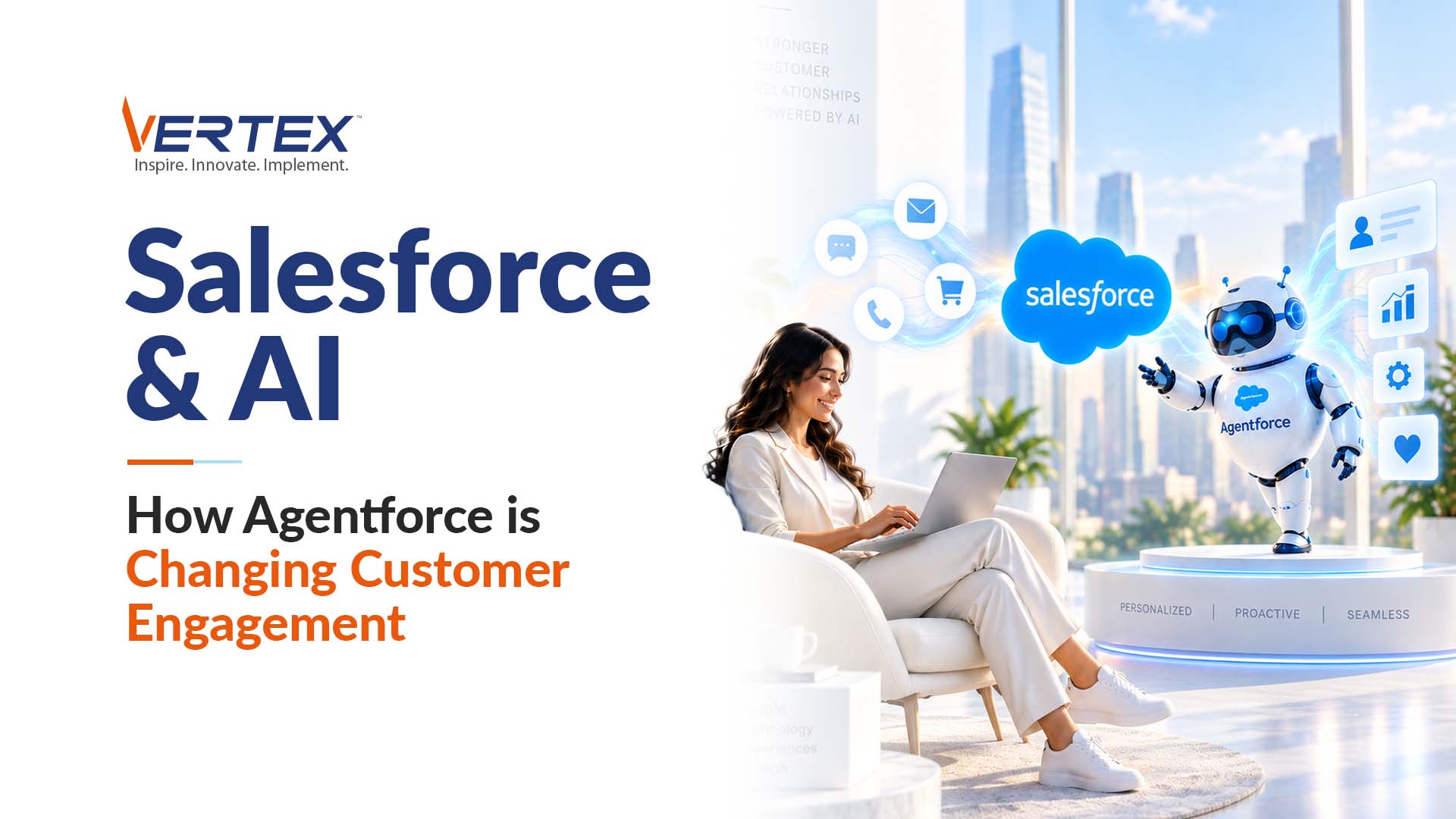
Salesforce & AI: How Agentforce is Changing Customer Engagement

Customer retention‌, ‌a critical driver of long-term revenue is directly influenced by service quality. In a recent survey by Salesforce, nearly 50% of consumers indicated they would abandon a brand after a poor experience.

Customer expectations have changed dramatically over the last few years. Customers no longer compare your service with your competitors. They compare it with the best digital experiences they have ever had. They expect instant responses, personalized recommendations, proactive support and seamless interactions across every touchpoint. Managing these expectations for a brand isn’t easy.

With the launch of Salesforce Agentforce, Salesforce has taken AI beyond simple chatbots and predictive analytics. Instead of merely assisting employees, Agentforce introduces AI agents capable of performing business tasks, collaborating with employees and engaging customers autonomously.

According to Salesforce’s Trends in AI for CRM report, 81% of sales teams are either experimenting with or have fully implemented AI, while 83% of service organizations say AI helps increase customer satisfaction.

AI is no longer an optional CRM enhancement. It’s becoming central to how businesses engage customers. So, how is Agentforce changing customer engagement?

Customer Conversations Become Faster, Smarter and More Personalized

Today’s customers expect immediate answers. Waiting hours or even minutes for a response often leads to frustration.

Agentforce enables organizations to deploy intelligent AI agents that can answer questions, resolve common issues, guide customers through processes and recommend relevant products in real time.

Unlike traditional chatbots that rely on scripted responses, Agentforce leverages Salesforce data, business rules and generative AI to deliver context-aware conversations.

Imagine a customer asking: “Where’s my order, and can I change the delivery address?”

Instead of simply sharing a tracking number, the AI agent can verify the customer’s identity, retrieve order details, check shipment status, determine whether address changes are still possible and complete the request or escalate it to a service representative if needed.

The interaction becomes faster, more accurate, and far less frustrating.

Sales Teams Spend Less Time on Administration and More Time Selling

Sales representatives often spend a significant portion of their day on administrative work.

Updating CRM records. Preparing meeting summaries. Researching prospects. Creating opportunity notes. Agentforce helps them automates many of these repetitive activities allowing sales teams to focus on building relationships rather than maintaining CRM data.

According to Salesforce’s State of Sales Report, sales representatives spend only 30% of their time actively selling, while the rest is consumed by administrative work and non-selling activities.

Agentforce helps shift more of that time back toward customers.

AI Helps Service Teams Resolve Issues Proactively

The best customer service isn’t reactive. It’s proactive. Instead of waiting for customers to report problems, Agentforce can identify potential issues before they escalate.

For example, a logistics company notices delayed shipments due to severe weather. Rather than waiting for hundreds of customers to contact support, Agentforce can:

  • Identify affected customers
  • Send personalized notifications
  • Offer revised delivery estimates
  • Recommend alternative solutions
  • Escalate urgent cases automatically

AI enables organizations to move from responding to problems to preventing them.

Every Customer Interaction Becomes More Intelligent

One of Agentforce’s biggest strengths is that it works directly within the Salesforce ecosystem. Every interaction benefits from customer history, purchase records, support cases, preferences and previous conversations.

If a customer contacts support, instead of asking repetitive questions, the AI agent already understands a number of things of the user to respond allowing conversations to feel far more natural and personalized.

According to Salesforce’s State of the Connected Customer Report, 73% of customers expect companies to understand their unique needs and expectations. Agentforce helps organizations deliver exactly that.

How Vertex Helps Organizations Maximize Salesforce and Agentforce

At Vertex, we help organizations unlock the full value of Salesforce by combining CRM expertise with AI-driven innovation.

With more than 15 years of Salesforce consulting and implementation experience, Vertex helps businesses prepare their Salesforce environments for Agentforce by strengthening CRM architecture, improving data quality, integrating enterprise applications, and identifying high-impact AI use cases.

Using our proprietary Vertex Intellectual Property (IP) Utilities, we develop precise Salesforce Solution Roadmaps that guide budgeting, implementation sequencing, and long-term scalability. Our approach accelerates deployment, reduces project risk, and ensures AI capabilities are aligned with real business objectives rather than becoming isolated technology initiatives.

From Sales Cloud and Service Cloud to Experience Cloud, Agentforce, automation, integrations, analytics, and ongoing managed services, Vertex delivers end-to-end Salesforce solutions that help organizations create more intelligent, personalized, and efficient customer experiences.

Ready to explore how Salesforce Agentforce can transform your customer engagement strategy? Connect with our Salesforce experts to build a secure, scalable and AI-powered Salesforce ecosystem that drives measurable business outcomes.

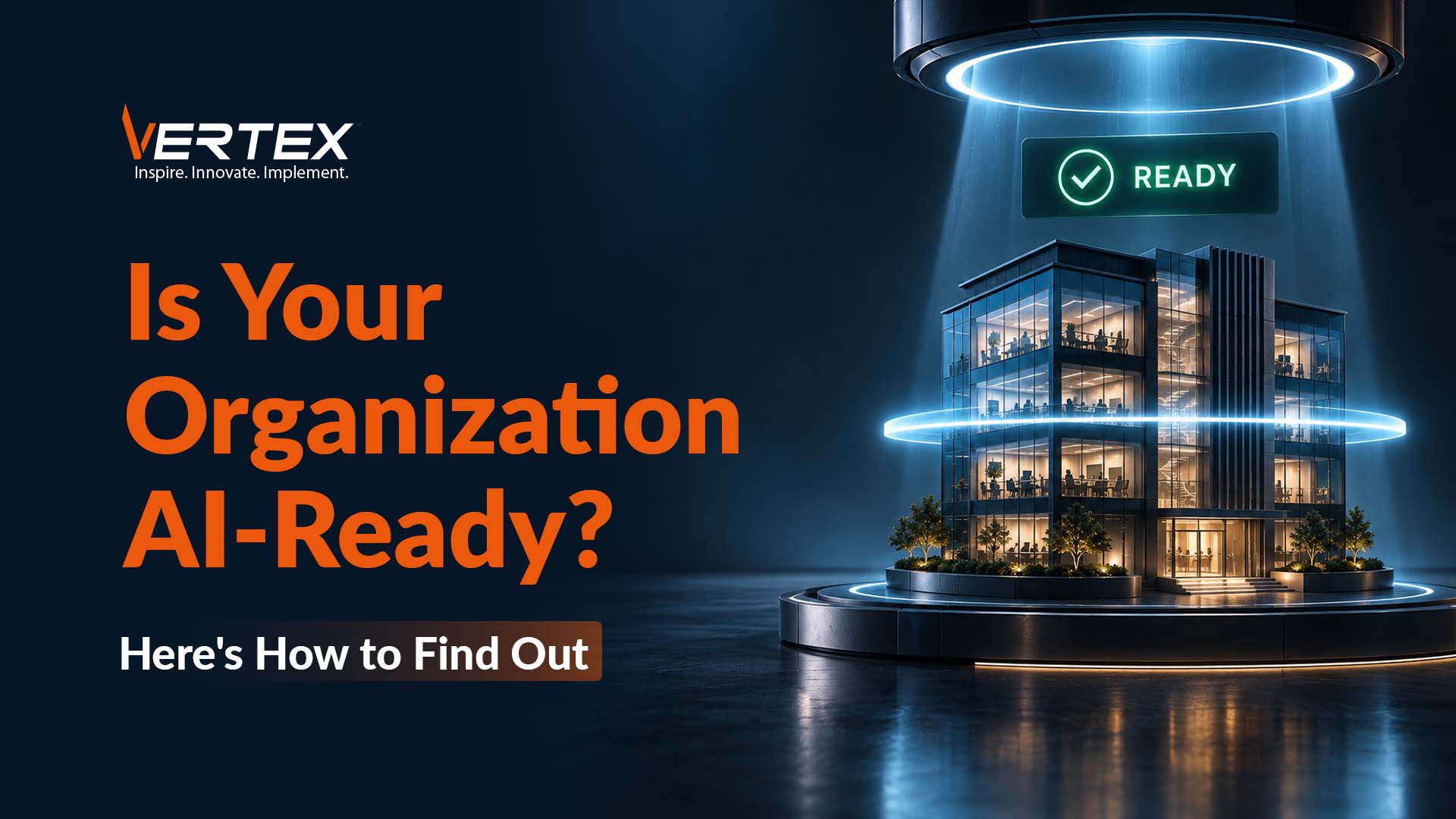
Is Your Organization AI-Ready? Here’s How to Find Out.

Every organization wants to become AI-ready, but AI readiness isn’t defined by how many AI tools a company has purchased. It’s reflected in how people work, how decisions are made and how technology supports everyday business operations. It requires the right data, infrastructure, people, governance and business strategy.

According to McKinsey’s 2025 State of AI report, 78% of organizations now use AI in at least one business function, up from 55% just a year earlier. Yet many organizations are still struggling to scale AI beyond isolated use cases and generate measurable business value.

So, how do you know whether your organization is truly ready? We have prepared a list of six questions that can help you assess your AI readiness.

Is Your Data AI-Ready?

AI depends on data and not just lots of it. It needs data that is accurate, complete, consistent, well-governed and easily accessible.

If your customer information exists in five different systems, your finance data doesn’t reconcile, or your reporting teams spend hours cleaning spreadsheets before analysis, AI won’t solve those problems. Instead, it will amplify them.

According to Gartner, organizations estimate that poor data quality costs them an average of $12.9 million annually.

Before deploying AI, organizations should ask:

  • Can we trust our data?
  • Do we have a single source of truth?
  • Is our data integrated across business functions?

If the answer is ‘not yet,’ your first investment should focus on data foundation and not AI.

Are You Solving a Business Problem or Chasing a Trend?

Many AI initiatives begin with a technology-first mindset. Some in the boardroom says “We should use AI.”

But the better question is “What business problem are we trying to solve?”

The strongest AI use cases are tied to measurable outcomes, such as:

  • Predicting equipment failures
  • Reducing customer churn
  • Automating invoice processing
  • Improving demand forecasting
  • Detecting fraud
  • Enhancing customer service

It’s important to understand that AI should always support a business objective and not become the objective itself.

Does Your Technology Infrastructure Support AI?

AI requires more than a powerful model. It needs an ecosystem capable of handling large volumes of data efficiently.

If you are responsible in transforming your internal systems and processes, you must ask yourself the following questions:

  • Are our systems cloud-enabled?
  • Can our applications exchange data seamlessly?
  • Are our analytics platforms scalable?
  • Can we process data in near real time?

Legacy infrastructure often becomes one of the biggest obstacles to AI adoption. Modern AI initiatives rely on cloud platforms, APIs, automated data pipelines and scalable analytics environments.

Without these capabilities, even promising AI projects struggle to move beyond the pilot stage.

Are Your Employees Ready to Work with AI?

AI doesn’t replace people. It changes how people work. Employees need to understand how to interpret AI recommendations, validate outputs and use new tools responsibly.

According to the World Economic Forum’s Future of Jobs Report 2025, 39% of workers’ existing skill sets are expected to be transformed or become outdated between 2025 and 2030, making reskilling one of the biggest priorities for organizations.

Organizations that invest in AI literacy, change management, and workforce training are far more likely to achieve long-term success than those that focus solely on technology.

Do You Have the Right Governance in Place?

As AI becomes more deeply integrated into business operations, governance becomes essential. Organizations should establish clear policies around data privacy, security, regulatory compliance, responsible AI usage among others.

While AI introduces tremendous opportunities, it also increases the importance of protecting enterprise data and ensuring responsible decision-making.

Can You Scale Beyond a Pilot Project?

Many organizations successfully build AI proofs of concept. Far fewer successfully scale AI across departments.

An AI chatbot built for one department may demonstrate potential. But scaling AI across customer service, finance, operations and sales requires a much stronger organizational foundation. AI readiness isn’t measured by whether you’ve launched a pilot. It’s measured by whether you can expand AI confidently across the business.

How Vertex Helps Organizations Become AI-Ready

At Vertex Computer Systems, we help organizations move beyond AI experimentation and build the foundation required for long-term success.

With more than 15 years of experience in digital transformation, data & analytics, Microsoft technologies, cloud modernization, and enterprise integration, Vertex partners with businesses to assess their AI readiness, modernize data platforms, strengthen governance, and identify high-impact AI use cases aligned with business objectives.

Our expertise spans Microsoft Fabric, Azure, Power BI, enterprise data engineering, automation, and AI enablement, helping organizations create scalable ecosystems where AI can thrive.

Rather than starting with technology, we help clients build a clear roadmap from data readiness and infrastructure modernization to AI implementation and enterprise-wide adoption ensuring AI investments translate into measurable business outcomes.

If you’re evaluating your organization’s AI readiness, we can help. Connect with our experts to assess your current capabilities, identify opportunities and create a practical roadmap for successful AI adoption.

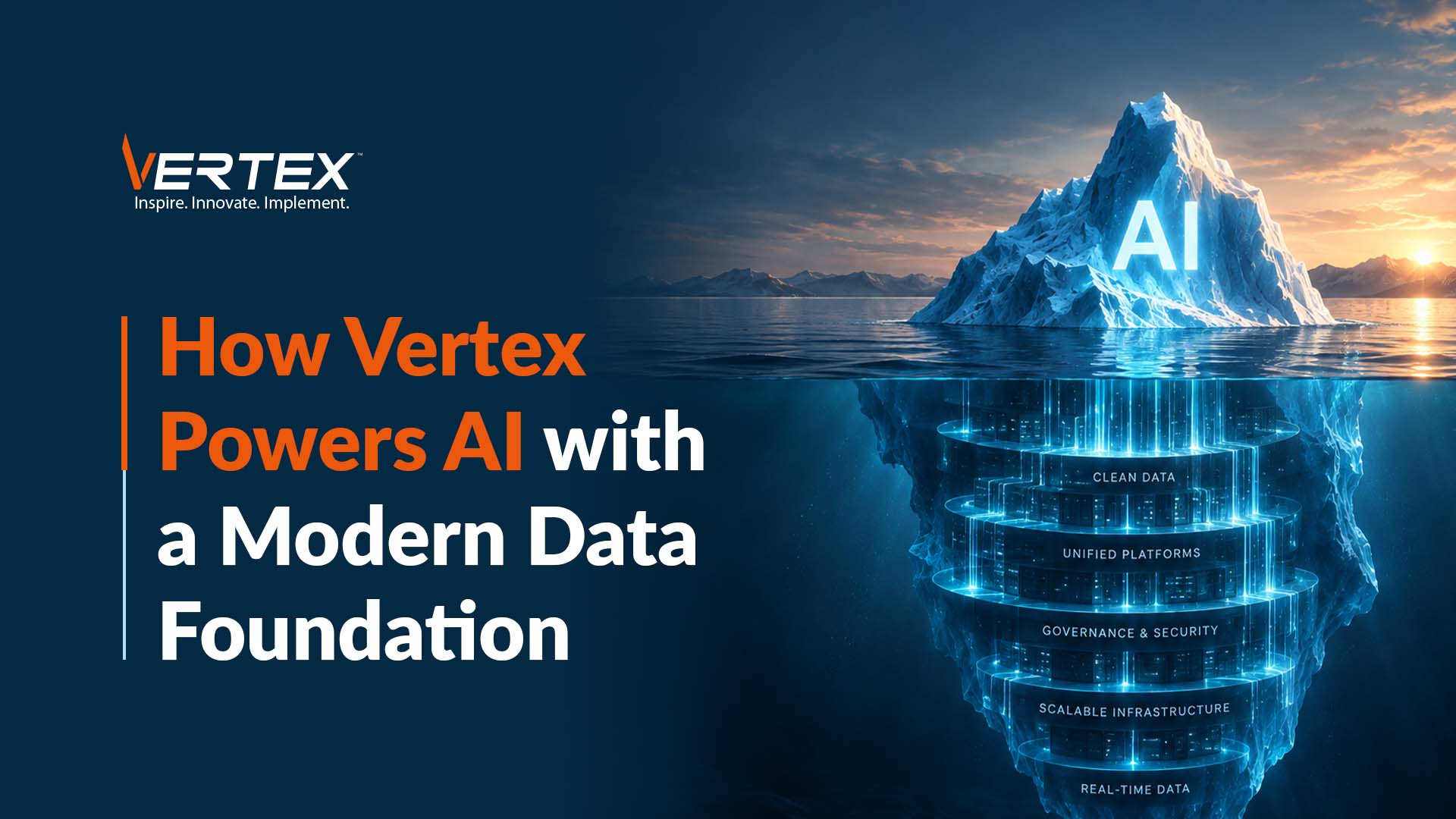
How Vertex Powers AI with a Modern Data Foundation

Artificial Intelligence has quickly moved from boardroom buzzword to business priority. Organizations across industries are investing in AI to improve customer experiences, automate operations, optimize supply chains, detect fraud and accelerate decision-making.

From generative AI assistants to predictive analytics, the possibilities seem endless.

But the uncomfortable truth still persists.  Most AI initiatives don’t fail because of the AI. They fail because of the data.

Companies are eager to implement AI, yet many overlook the one thing AI depends on the most, a strong, modern data foundation.

According to Accenture, 74% of organizations struggle to achieve and scale value from their AI investments, despite increasing spending on AI initiatives. The reason behind this is simple. AI is only as intelligent as the data it learns from.

Before asking “Which AI model should we use?”, organizations should first ask “Is our data ready?”

Let’s look at why a modern data foundation is the key to successful AI adoption and Vertex’s role in helping you reach there faster.

AI cannot Fix Poor Data

One of the biggest misconceptions about AI is that it can somehow clean, organize and correct messy enterprise data automatically. Unfortunately, it can’t.

If your customer records are duplicated, sales data is inconsistent, inventory information is outdated, or financial systems don’t reconcile, AI will simply produce inaccurate insights.

If you are in analytics since long, you would have heard the phrase ‘Garbage in. Garbage out.’ Now with AI, the consequences have increased further.

According to Gartner, organizations estimate that poor data quality costs them an average of $12.9 million every year.

Imagine asking an AI model to forecast demand using incomplete inventory data or predict customer churn using inconsistent CRM records. The recommendations may look convincing, but they won’t be reliable. Before organizations can trust AI, they must first trust their data.

Data Silos Prevent AI from Seeing the Bigger Picture

AI performs best when it has access to complete business context.

Unfortunately, most organizations store data across disconnected systems:

  • CRM platforms
  • ERP applications
  • HR systems
  • Manufacturing software
  • Marketing tools
  • Customer support platforms

Each system contains valuable information, but AI cannot generate meaningful insights if it only sees part of the picture.

For example, if an AI model is trying to predict customer churn with only sales data, it will miss important signals that influence customer behaviour. It needs complete information not only about sales but also data on customer support history, product usage and more.

AI needs Governance, not just Data

As AI becomes more deeply embedded in business operations, organizations must answer critical questions like where did this data come from, can we trust it, who has access to sensitive information and even questions on compliance and regulatory requirements.

Without proper governance, AI can introduce serious business risks. According to IBM’s Cost of a Data Breach Report 2024, the global average cost of a data breach reached $4.88 million, the highest ever recorded.

A modern data foundation includes governance policies, security controls, metadata management, and role-based access not just centralized storage.

AI is only as Fast as your Data Infrastructure

Many organizations attempt to deploy AI on top of legacy infrastructure that was never designed for modern analytics. Under these conditions, AI fails to operate efficiently.

Some pre-requisites for modern AI are cloud-based data platforms, Automated data pipelines, real-time data integration and Scalable storage among other things.

Without these capabilities, AI projects quickly become slow, expensive and difficult to scale. Hence, organizations investing in platforms like Microsoft Fabric, Azure Data Lake, Databricks and modern data warehouses are better positioned to realize AI value.

AI Delivers Insights. Data Foundations Deliver Scale.

Many organizations successfully launch AI pilots. Very few successfully scale them. Have you wondered why? Because pilots often rely on manually prepared datasets.

Scaling AI across the enterprise requires standardized data models, governance frameworks, integrated systems and automated pipelines. According to McKinsey, while 78% of organizations now use AI in at least one business function, many still struggle to move from isolated use cases to enterprise-wide value because scaling AI requires significant organizational and data maturity.

The companies seeing the greatest return from AI aren’t necessarily using the most advanced models. They are the ones that invested in the right data foundation first.

So the bottom line is, before looking for intelligence, organizations need to build strong data foundations and that’s where partners like Vertex can help you.

Vertex helps Organizations Build AI-Ready Data Foundations

At Vertex Computer Systems, we help organizations prepare for AI by first strengthening the foundation that makes it possible, their data.

With over 15 years of experience in data engineering, analytics, cloud modernization, and enterprise integration, Vertex helps businesses design scalable, AI-ready data ecosystems that unify information across disparate systems while ensuring data quality, governance, and security.

Our expertise spans modern data platforms, Microsoft Fabric, Azure, Power BI, data lakes, ETL pipelines, and enterprise analytics, enabling organizations to move from fragmented data environments to a single, trusted source of truth.

Rather than treating AI as a standalone implementation, Vertex helps clients build the modern data architecture needed to support predictive analytics, generative AI, intelligent automation and future innovation. So the result are never limited to only successful AI pilots. They become permanent solutions that can scale confidently across the enterprise.

Ready to make your business AI-ready? Connect with Vertex to build a modern data foundation that transforms AI from an experiment into a measurable business advantage.

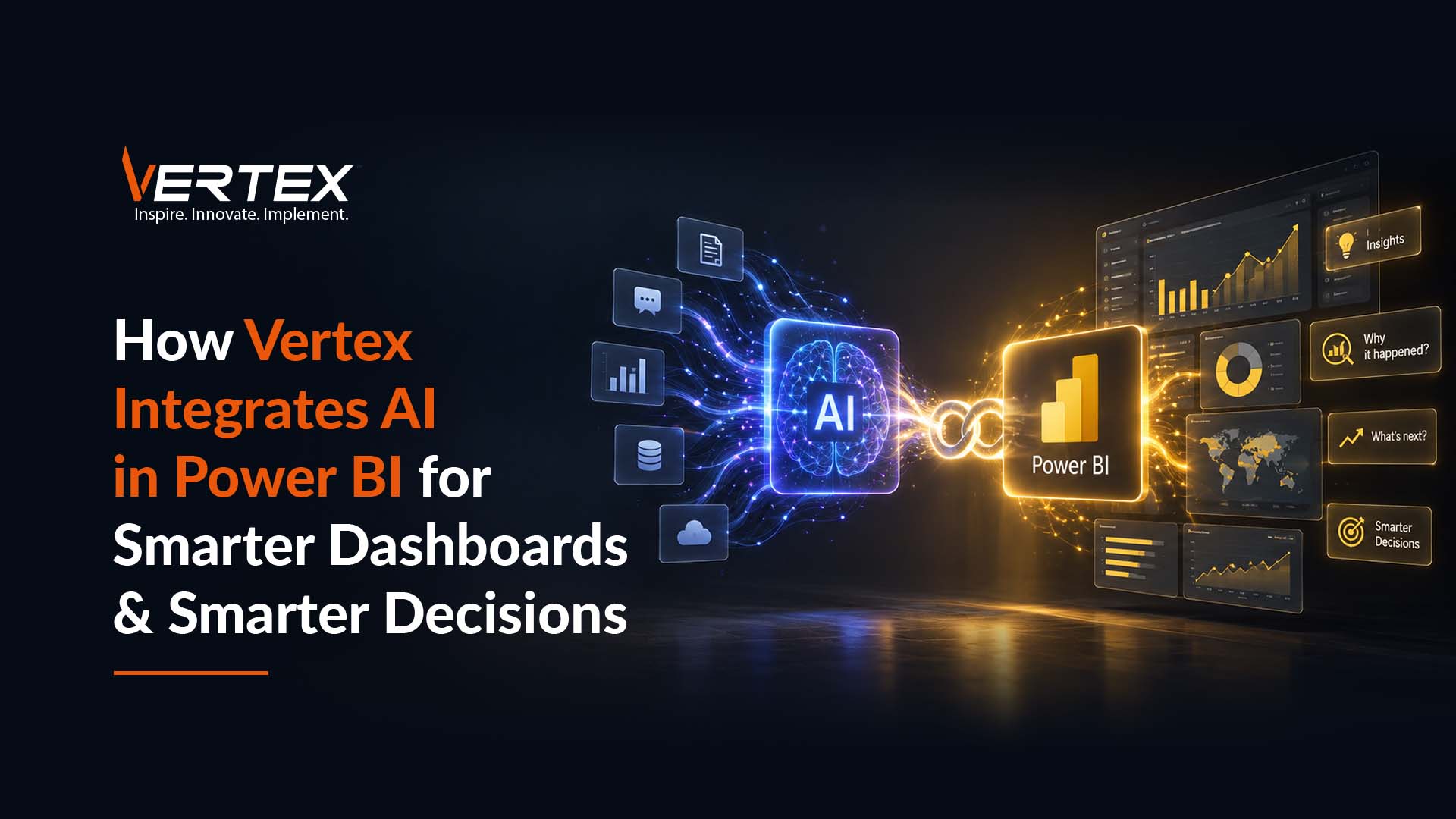
How Vertex Integrates AI in Power BI for Smarter Dashboards and Smarter Decisions

You have clean Power BI dashboards, trusted data sources and KPIs that update right on time. But when leadership asks why numbers changed or what to act on next, the room goes quiet. Someone exports data, another person promises a follow-up analysis, and the decision moves to next week.

Now pause, if this feels familiar, you’re not alone.

Most teams get reporting right, but stall at insight. Dashboards show what happened, but they rarely explain why it happened or what it means for the business.

That’s exactly where AI in Power BI comes in. Not by replacing analysts or adding complexity, but by actively challenging the data, uncovering hidden drivers and surfacing patterns teams aren’t explicitly looking for.

Let’s understand how exactly is AI making Power BI smarter and Vertex’s role in it.

AI Helps You Understand Why Something Happened

Traditional dashboards tell you what happened plaining. Sales dropped by 12%. Customer complaints increased. Manufacturing costs went up.

Yes, this is definitely useful but unfortunately, it does not explain why.

Power BI’s AI capabilities including Key Influencers and Decomposition Tree visuals, help users identify the factors driving business outcomes.

Imagine a retail company noticing declining sales. Instead of manually analyzing dozens of reports, Power BI can quickly reveal that sales have dropped primarily among first-time customers in a specific region during promotional campaigns.

Rather than spending hours searching for answers, business users can immediately focus on solving the right problem.

AI Makes Advanced Analytics Accessible to Everyone

For years, predictive analytics was largely the domain of data scientists. Power BI is changing that. With built-in AI capabilities and natural language experiences, business users can explore data without writing complex queries or building machine learning models from scratch.

For example, a sales manager can simply ask:

  • “Which products generated the highest growth this quarter?”
  • “Show regions where profitability declined.”
  • “What changed compared to last month?”

Power BI translates these questions into visual insights, making analytics far more accessible across the organization.

According to Microsoft, organizations using AI-powered capabilities within the Microsoft ecosystem are helping employees spend less time searching for information and more time acting on insights.

AI Helps Predict Future Business Outcomes

The biggest advantage of AI isn’t explaining yesterday. It’s helping organizations prepare for tomorrow. Using AI models alongside Power BI, businesses can forecast customer demand, revenue trends, inventory requirements, customer churn and more.

According to McKinsey, organizations that effectively use AI report measurable improvements in revenue generation and cost optimization across multiple business functions.

AI Turns Dashboards into Decision Support Systems

Many organizations still use dashboards primarily as reporting tools. Executives review them during weekly meetings. Managers glance at KPIs. Analysts export reports into Excel.

Then decisions happen elsewhere.

AI changes this workflow. Instead of simply displaying metrics, Power BI can highlight anomalies, surface emerging trends and recommend where leaders should focus attention.

For example, a CFO opens an executive dashboard. Rather than manually reviewing dozens of KPIs, Power BI automatically highlights an unexpected increase in operating expenses, identifies the business unit responsible, and reveals the primary cost drivers.

Instead of searching for problems, leaders can immediately begin solving them. That’s the difference between reporting and intelligent decision support and the advantage Power BI delivers.

How Vertex Helps Organizations Build AI-Powered Power BI Solutions

At Vertex Computer Systems, we help organizations transform Power BI from a reporting platform into an intelligent decision-making solution.

With over 15 years of experience in data analytics, Microsoft technologies, and enterprise business intelligence, Vertex designs scalable Power BI solutions that combine modern data engineering with AI-driven analytics. Our expertise includes data integration, semantic modeling, DAX optimization, executive dashboards, real-time reporting, predictive analytics, Microsoft Fabric, Azure data services, and embedded analytics.

We help businesses unify data across enterprise systems while leveraging Power BI’s AI capabilities to uncover deeper insights, identify trends, and support faster, data-driven decisions.

Having delivered 50+ analytics and Power BI projects and developed 1,000+ dashboards and insights, Vertex focuses not only on building visually compelling dashboards but also on ensuring they deliver measurable business outcomes through trusted data, intelligent automation, and AI-powered decision support.

Do you also want to unlock the full potential of AI in Power BI? Connect with our experts to build intelligent dashboards that don’t just visualize data but help drive better business decisions.

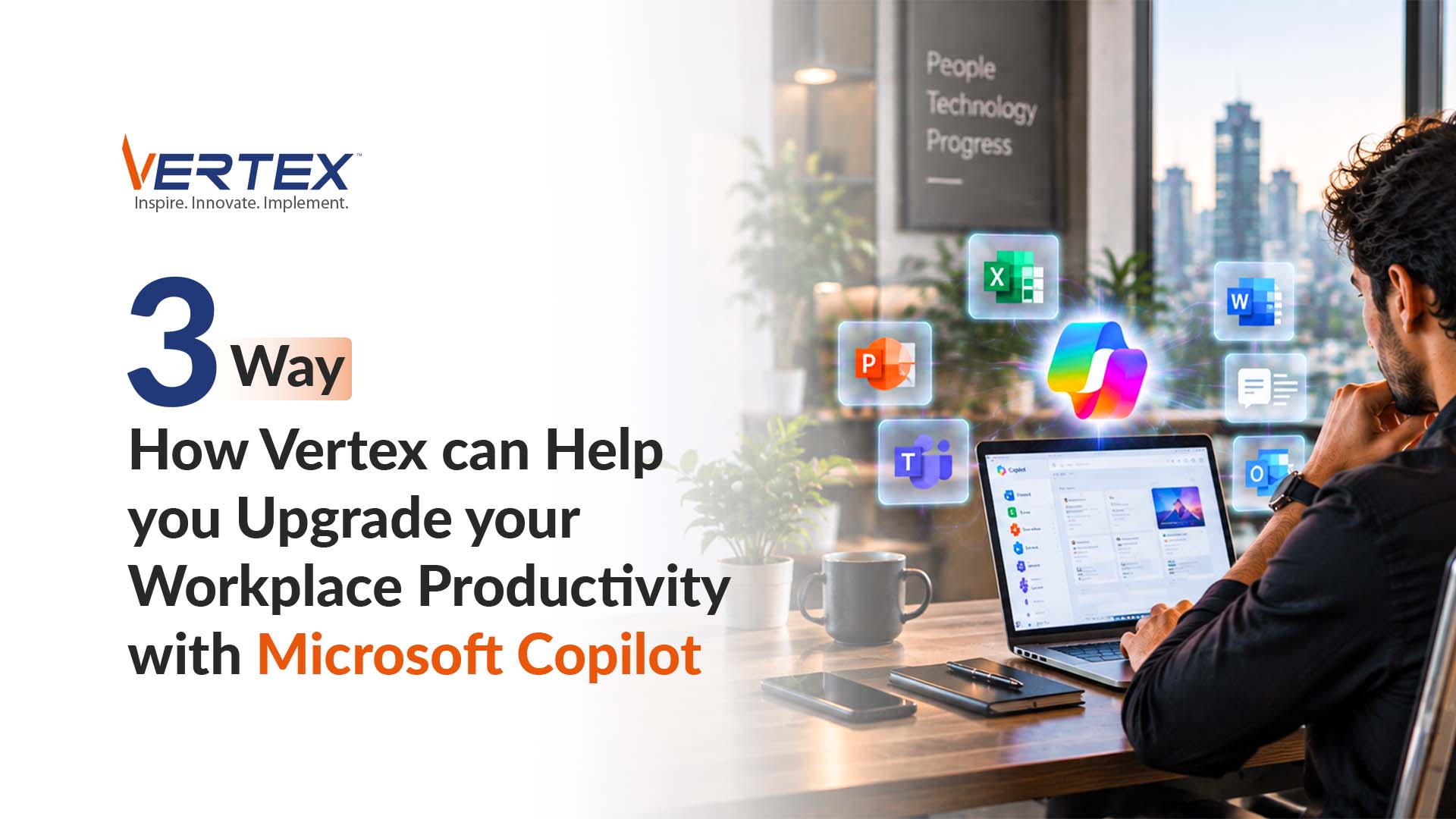
3 Way How Vertex can Help you Upgrade your Workplace Productivity with Microsoft Copilot

For years, workplace productivity was all about doing more with better software. Today, it’s about doing more with AI. Whether it’s summarizing meetings, drafting emails, analyzing spreadsheets, creating presentations or finding information buried across thousands of documents, employees are spending less time on repetitive tasks and more time on meaningful work and a huge credit for this goes to AI-powered assistants like Microsoft Copilot.

However,  Copilot isn’t just another productivity tool. It’s fundamentally changing how people interact with technology.

So, what makes Microsoft Copilot such a game changer? Here are three reasons why it is transforming the modern workplace.

It Eliminates Hours of Repetitive Work

Most employees don’t spend their day doing strategic work. Instead, they spend countless hours writing emails, summarizing meetings, searching for information, creating reports and more.

These tasks are necessary but they rarely create competitive advantage. Microsoft Copilot automates much of this routine work.

For example:

  • Draft an email in Outlook based on a few prompts
  • Summarize a one-hour Microsoft Teams meeting into key action items
  • Generate a PowerPoint presentation from an existing Word document
  • Create Excel formulas and summarize complex datasets in seconds

Instead of replacing employees, Copilot removes low-value work so employees can focus on solving business problems.

It makes Every Employee more Productive and not Just Technical Teams

One of Copilot’s biggest advantages is that it isn’t limited to developers or data scientists. It works across the Microsoft 365 ecosystem that employees already use every day across departments.

A sales manager asks Copilot to summarize the latest customer interactions before an important meeting. An HR professional creates a job description and onboarding checklist in minutes instead of hours. A finance executive asks Copilot to identify spending trends from thousands of Excel rows.

Because Copilot is embedded into familiar tools like Word, Excel, Outlook, Teams and PowerPoint, adoption becomes significantly easier than introducing entirely new software.

It Unlocks Organizational Knowledge Instantly

Every organization sits on a massive amount of information. Documents. Emails. Meeting notes. Policies. Presentations. Project files.

The problem isn’t collecting information. It’s finding the right information when you need it.

Employees often spend valuable time searching through emails, SharePoint sites, Teams chats and folders.

According to McKinsey, employees spend almost 20% of their workweek searching for internal information or tracking down colleagues for help.

Microsoft Copilot changes this experience.

Instead of manually searching multiple systems, employees can simply ask questions such as:

  • “Summarize all customer feedback from the last quarter.”
  • “Find the latest pricing proposal shared with ABC Corporation.”
  • “What decisions were made in yesterday’s leadership meeting?”
  • “Create a summary of this project using our previous documentation.”

Because Copilot works across Microsoft 365 applications while respecting organizational permissions, employees can retrieve information faster without compromising security.

Microsoft Copilot Is More Than an AI Assistant

Many people think Copilot is simply a tool that writes emails or creates presentations. In reality, it’s much more than that.

It helps organizations:

  • Improve employee productivity
  • Reduce repetitive work
  • Accelerate decision-making
  • Unlock organizational knowledge
  • Enhance collaboration
  • Enable responsible AI adoption

So it’s safe to say that the real value of Copilot isn’t automation. It is giving employees more time to focus on work that requires creativity, critical thinking and business judgment.

How Vertex Helps Organizations Unlock the Full Potential of Microsoft Copilot

At Vertex Computer Systems, we help organizations move beyond simply deploying Microsoft Copilot to successfully embedding AI into everyday business operations.

With more than 15 years of experience delivering Microsoft solutions, digital transformation initiatives and enterprise modernization projects, Vertex helps businesses assess AI readiness, prepare Microsoft 365 environments, strengthen data governance, and implement Copilot securely and effectively.

Our experts ensure organizations have the right data architecture, identity management, security controls, and adoption strategies in place so employees can confidently use Copilot across Word, Excel, Outlook, Teams, PowerPoint and SharePoint.

Beyond implementation, Vertex focuses on helping organizations identify high-impact use cases, train employees, and integrate Copilot into existing workflows ensuring AI delivers measurable improvements in productivity, collaboration and decision-making rather than becoming just another technology investment.

Ready to make Microsoft Copilot work for your business? Connect with our team to build a secure, scalable Copilot strategy that delivers real business impact.

Automating Everything at Once? Start with These 3 Workflows Instead

If you’re tired of repetitive tasks eating up your workday, you are not alone. Between emails, file updates, approvals and reminders, most professionals spend hours on things that could easily be automated.

That’s where Microsoft Power Automate comes in.

It’s the repetitive, manual tasks that quietly consume hours every week. Approving requests, chasing documents and moving information from one system to another.

These tasks may seem small, but their cumulative impact is significant.

According to McKinsey, approximately 60% of occupations have at least 30% of activities that could be automated using technologies available today.

For organizations looking to improve productivity and reduce operational friction, workflow automation is one of the fastest ways to generate measurable value.

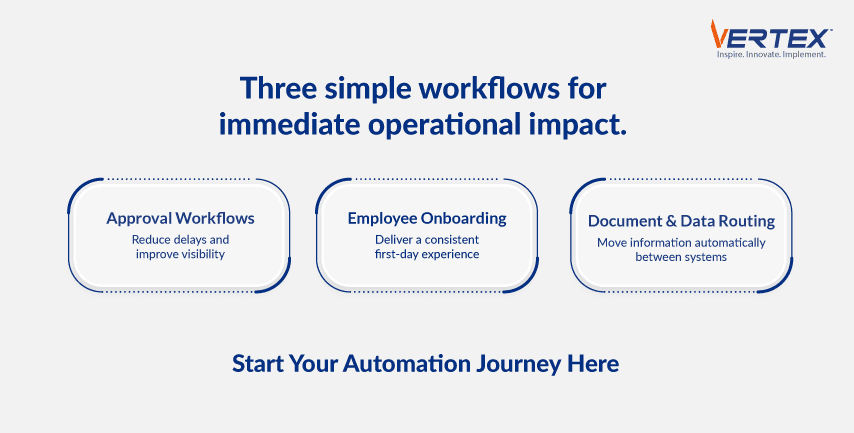
Here are three high-impact workflows you should automate before anything else.

Approval Workflows

Approval processes are among the most common and most frustrating sources of delay in organizations. Purchase requests, expense claims, travel approvals, contract sign-offs and policy exceptions often move through lengthy email chains with little visibility.

Employees follow up repeatedly. Managers overlook requests. Finance and procurement teams spend time tracking status manually.

Using tools such as Microsoft Power Automate, requests can be routed automatically to the appropriate approvers, escalated when deadlines are missed and tracked in real time. All while approvals can be completed directly from email or Microsoft Teams.

For example, a purchase request that once took several days can be approved in a few hours, with complete auditability. Since approval workflows are highly structured and widely used, they typically deliver quick and visible ROI.

Employee Onboarding

Employee onboarding often requires coordination between Human Resources, IT and Hiring Managers.

Tasks may include:

  • Creating user accounts
  • Assigning software licenses
  • Sending welcome emails
  • Scheduling orientation sessions
  • Sharing policies and training materials

When managed manually, onboarding is prone to delays and inconsistencies. Automation ensures that every step is triggered as soon as a new hire is entered into the HR system.

Notifications are sent automatically, tasks are assigned to relevant teams and progress can be tracked centrally. This not only reduces administrative effort but also improves the employee experience from day one.

Given that onboarding involves multiple departments and standardized steps, it is an ideal automation candidate.

Document and Data Routing

Many organizations still move information manually between forms, spreadsheets and enterprise systems.

Examples include:

  • Uploading signed contracts to shared repositories
  • Transferring form submissions into CRM systems
  • Sending notifications when files are updated
  • Routing customer requests to specific teams

These repetitive handoffs are time-consuming and prone to error.

Automation tools can monitor systems such as Microsoft SharePoint, Outlook, CRM applications and web forms and then trigger actions automatically.

For instance, when a signed contract is uploaded to SharePoint, the system can notify stakeholders, archive the document and create follow-up tasks without any manual intervention.

According to Deloitte, organizations implementing intelligent automation often achieve 20–25% productivity improvements in targeted operational processes.

Automating document and data routing reduces errors while ensuring information reaches the right people and systems immediately.

Why these Workflows First

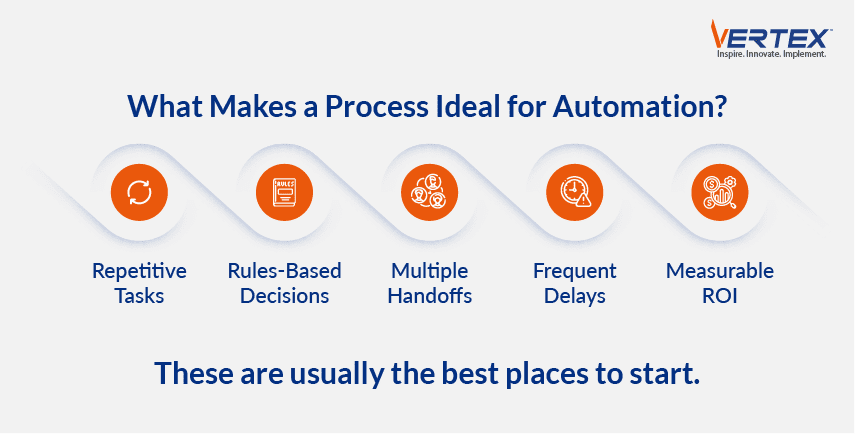
These workflows share several characteristics that make them ideal starting points:

  • They are repetitive and rules-based
  • They occur frequently across departments
  • They involve multiple handoffs
  • Delays are highly visible
  • ROI can be measured quickly

By automating these processes first, organizations can build momentum, demonstrate value early and create a strong foundation for broader digital transformation.

How Vertex Helps Organizations Automate with Confidence

At Vertex Computer Systems, we help organizations identify high-impact automation opportunities and implement scalable solutions using the Microsoft Power Platform.

With deep expertise in Microsoft Power Automate, Microsoft Power Apps, Microsoft SharePoint and enterprise integrations, Vertex designs workflows that streamline approvals, onboarding, document management and other critical business processes.

Our long track record of 500+ successful deployments enables clients to reduce manual effort, improve governance, accelerate operational efficiency and save operational costs by up to 80% while minimizing implementation risk.

If you are just beginning your automation journey, don’t start with the most complex process. Start with the workflows that affect employees every day and deliver immediate operational benefits.

Connect with our automation experts today to discover how workflow automation can eliminate repetitive work and free your teams to focus on what matters most.

Executive Dashboards are Useless without these 5 Elements

When it comes to providing information to your business in an easy-to-use format that everyone understands, dashboards are an excellent choice of delivery. Especially when executives are expected to make faster decisions than ever before.

Whether it’s responding to market changes, tracking operational performance, monitoring financial health, or identifying business risks, leadership teams rely heavily on data to guide strategy.

But there’s a problem.

Many executive dashboards are overloaded with charts, cluttered with unnecessary metrics and filled with data that looks impressive but offers very little decision-making value leading to leaders spending more time interpreting dashboards than acting on insights.

A great executive dashboard should in fact do the opposite. It should simplify complexity, surface critical insights quickly and help leadership focus on what matters most.

According to a report by Forrester, organizations that leverage modern business intelligence tools effectively are able to improve the speed and quality of strategic decision-making through better visibility and actionable insights.

So what separates a useful executive dashboard from a decorative one? Here are some essential elements every great executive dashboard needs.

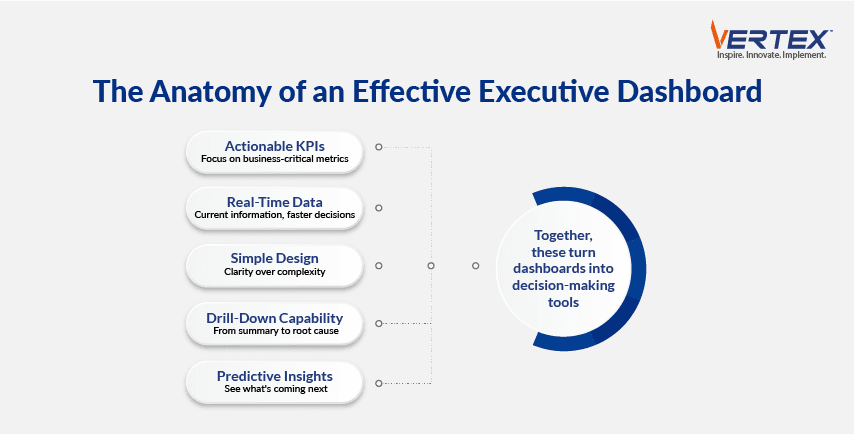
Clear and Actionable KPIs

The biggest mistake many dashboards make is trying to show everything. Executive dashboards should not function like operational reports. Leaders do not need hundreds of metrics. They need visibility into the few indicators that directly impact business performance.

Effective dashboards focus on clear, business-critical KPIs such as:

  • Revenue growth
  • Profit margins
  • Customer retention
  • Sales pipeline health
  • Operational efficiency
  • Inventory turnover
  • Forecast accuracy

And each KPI should answer an important business question.

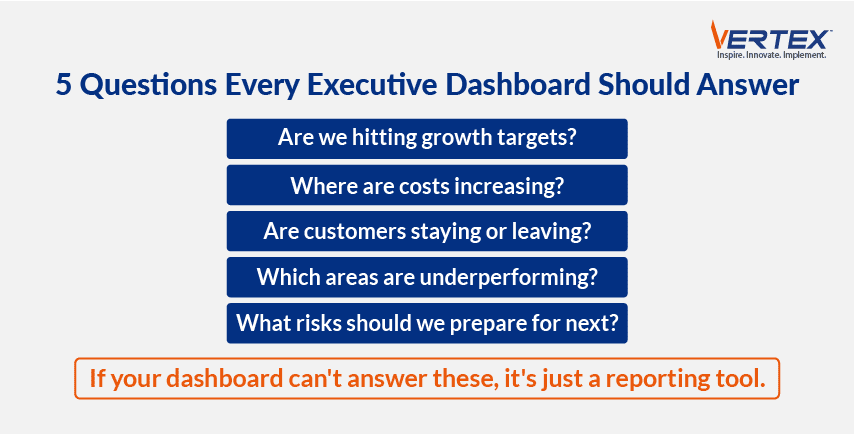
  • Are we hitting our growth targets?
  • Which regions are underperforming?
  • Where are operational costs rising?
  • Are customer satisfaction levels improving?

If a metric does not support decision-making, it likely does not belong on an executive dashboard.

Real-Time or Near Real-Time Data

A dashboard is only valuable if the data is current. Many organizations still rely on weekly or monthly static reports, which means leaders are often making decisions based on outdated information.

Modern dashboards powered by tools such as Microsoft Power BI allow organizations to integrate live data from CRM systems, ERPs, financial platforms and operational tools.

This enables leaders to monitor performance continuously instead of waiting for reports to be compiled manually. Real-time visibility enables faster responses to emerging opportunities and risks.

Simple and Intuitive Visual Design

A dashboard should reduce complexity, not create it. One of the most common issues with executive dashboards is overdesign:

  • Too many charts
  • Excessive colors
  • Unclear layouts
  • Dense data tables

Good dashboard design prioritizes clarity. Research from MIT Sloan Management Review highlights that effective data visualization improves comprehension and accelerates decision-making by helping users process information more efficiently.

Great executive dashboards typically:

  • Highlight trends clearly
  • Use consistent KPI formatting
  • Emphasize exceptions and anomalies
  • Present insights hierarchically
  • Minimize unnecessary visual clutter

The goal of dashboards is pretty simple – Helping executives understand the business story within seconds.

Drill-Down Capability for Deeper Insights

Executives often need to move from high-level summaries to detailed insights quickly. For example, a CEO reviewing declining revenue trends may want to immediately identify:

  • Which region is underperforming
  • Which product category is affected
  • Which customer segment is contributing to the decline

Drill-down capabilities allow leaders to investigate root causes without requesting separate reports from analysts. Modern BI platforms enable interactive exploration where users can move from summary-level dashboards to transaction-level details in just a few clicks.

This flexibility turns dashboards from passive reporting tools into active decision-support systems.

Predictive and Forward-Looking Insights

The best dashboards do not only explain what happened. They help leaders anticipate what might happen next. Predictive analytics capabilities allow dashboards to forecast trends such as:

  • Revenue projections
  • Customer churn risks
  • Demand fluctuations
  • Inventory shortages
  • Operational bottlenecks

According to McKinsey, organizations that effectively use advanced analytics can improve productivity and operational performance significantly across multiple business functions.

For example, instead of simply displaying declining customer retention, a predictive dashboard can identify customers most likely to churn and recommend proactive actions.

This shift from historical reporting to predictive intelligence is what makes executive dashboards strategically valuable.

Build Smarter Executive Dashboards with Vertex

At Vertex, we help organizations design executive dashboards that go beyond visualization and support real business decision-making.

With deep expertise in Microsoft Power BI, data integration, analytics modernization and enterprise reporting, Vertex builds scalable dashboard solutions that unify data across systems and deliver real-time business visibility. Our capabilities include advanced data modeling, KPI framework design, interactive visualizations, predictive analytics, role-based access controls and embedded analytics tailored to executive leadership needs.

Having successfully delivered 50+ analytics and Power BI projects and created 1,000+ dashboards and insights, Vertex focuses on ensuring dashboards are intuitive, actionable, and aligned with strategic business goals helping organizations turn data into faster, smarter decisions.

If your current dashboards are overloaded, underutilized or failing to support strategic decisions, it may be time to rethink your analytics approach.

Connect with our experts today to discover how intelligent executive dashboards can transform the way your leadership team makes decisions.

What High-Performing Teams Get Right in Digital Transformation Projects

TL;DR
  • 70% of Transformations Fail: Most digital transformation projects miss their goals, usually for predictable, preventable reasons that high-performing teams know to avoid.
  • Strategy First, Not Technology: Buying cloud, ERP, or automation tools isn’t transformation; define the business outcomes you want before selecting any technology.
  • Redesign, Don’t Just Automate: Automating a broken process only makes it faster, not better. Rethink and simplify workflows before deploying new systems.
  • Set Realistic Expectations: Unrealistic budgets and timelines stall projects and crush morale. Base plans on honest assessments and industry benchmarks, then align every stakeholder.
  • Technology Enables, Strategy Leads: Vertex has turned 500+ digital transformation projects from disconnected IT upgrades into business-driven journeys, driving up to 80% higher operational efficiency and 30% revenue growth.

Imagine you are browsing the internet and come across a headline that shouts ‘RETAIL GIANT FILES FOR BANKRUPTCY AFTER FAILED DIGITAL TRANSFORMATION INITIATIVE.’

While fictional, this scenario reflects a harsh reality across industries.

According to recent McKinsey research, a staggering 70% of digital transformation projects fail to meet their stated goals.

Where there’s a glimmer of hope here.

In most cases, the reasons are predictable and preventable.

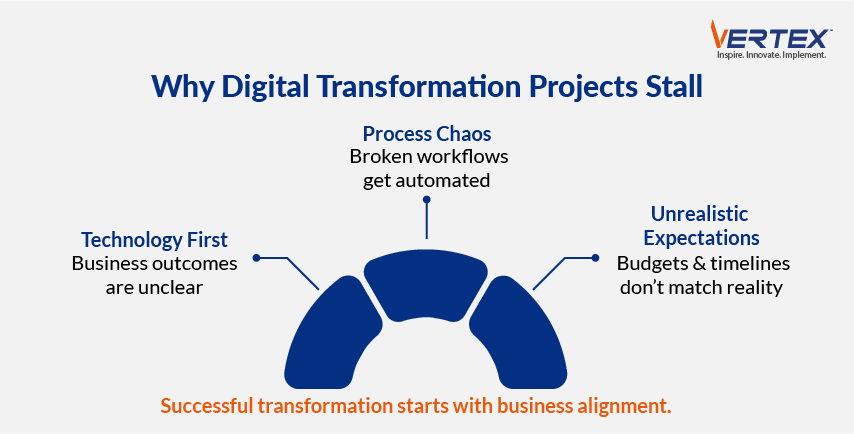
So let’s dive into the three biggest reasons digital transformation projects stall midway, and what organizations can do to avoid them.

Infographic on why digital transformation projects stall: technology-first focus, process chaos, and unrealistic expectations

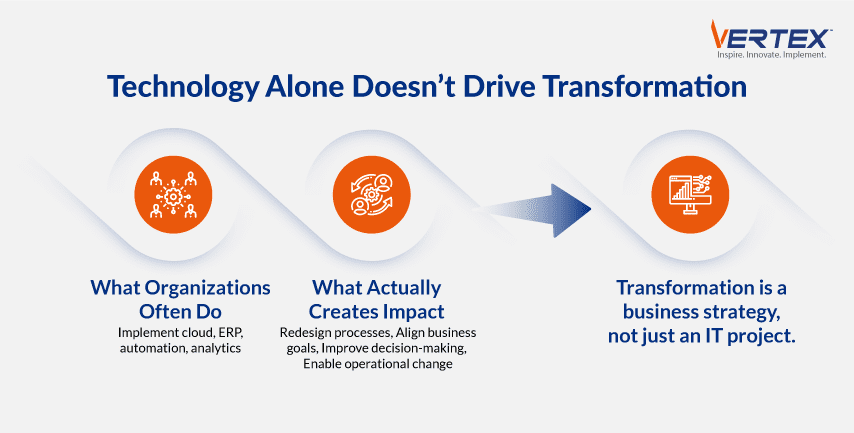
The Transformation is Treated as a Technology Project, not a Business Strategy

One of the most common mistakes organizations make is confusing digital transformation with IT modernization.

They invest in cloud platforms, ERP upgrades, analytics tools, or automation technologies, but fail to clearly define the business outcomes these investments are meant to deliver.

Without measurable goals, teams focus on technical milestones instead of business impact.

For example, a company may implement a new customer portal, but if it does not improve customer satisfaction, reduce service costs, or increase retention, the transformation delivers little strategic value.

If you want to achieve a successful digital transformation, you should begin with asking the following questions:

  • Which processes are limiting growth?
  • Where are costs rising unnecessarily?
  • How can we improve customer experience?
  • What decisions need to happen faster?

Technology should be selected only after these objectives are clearly defined.

Infographic showing digital transformation is a business strategy, not just an IT project, driven by process redesign

Broken Processes are Automated Instead of Redesigned

Technology can accelerate processes, but it cannot fix flawed ones.

Many organizations digitize inefficient workflows without simplifying or rethinking them first.

For example, a procurement process with multiple redundant approvals may be automated through a new workflow platform.

While approvals happen electronically, the underlying complexity remains, and employees still experience delays.

This is often described as ‘automating chaos.’

Organizations that combine process redesign with digital technologies can achieve substantial productivity improvements compared to technology-only initiatives.

Setting unrealistic expectations

Just like trying to do too much at once, promising a digital utopia while presenting an unrealistic budget or timeline is a recipe for failure.

When expectations of the time, resources, and effort required for any transformation, large or small, employees become frustrated, and morale and accuracy plummet.

The result is project delays, missed deadlines, and a transformation that fails to deliver on its promises.

To avoid this, organizations must conduct a thorough and honest assessment of your current state and capabilities.

Post the assessment, they should set realistic timelines and budgets based on data and industry benchmarks, not ‘what someone wants to hear.’

Further, these must be clearly communicated to all stakeholders from the outset so everyone involved is on the same page and prepared for the long haul.

How Vertex Helps Organizations Deliver Digital Transformation that Lasts

At Vertex Computer Systems, we have experience in successfully taking 500+ digital transformation projects from a series of disconnected technology projects into a structured, business-driven journey.

This directly led to more than 80% increase in operational efficiency for IT teams and 30% increase in revenue for our clients.

With more than two decades of experience and deep expertise across cloud modernization, automation, enterprise applications, data & analytics, and application development, Vertex works closely with business and IT leaders to define transformation roadmaps aligned to measurable outcomes.

Our teams help redesign critical processes, integrate systems, and implement scalable solutions using leading technologies from Microsoft, Salesforce, and other enterprise platforms.

By combining strategic planning with hands-on execution, Vertex helps organizations reduce risk, accelerate implementation, and achieve sustainable business results.

Connect with our Digital Transformation experts today to learn how we can help you plan, execute, and sustain digital transformation that drives measurable business impact.

Why the Best Analytics Projects Focus Beyond Dashboard Delivery

TL;DR
  • 80% of Analytics Projects Fail: Most don’t deliver business value because they’re built around available data and technology, not the decisions the business actually needs to make.
  • Build Around Decisions, Not Data: Dashboards should answer business-critical questions like churn risk or production failures. Metrics with no link to action are just passive reports.
  • Data Quality Builds Trust: Poor data quality costs organizations $12.9M a year, so governance, validation rules, and shared metric definitions are what make analytics trustworthy.
  • Embed Insights into Workflows: Insights only create value when they trigger action. Connect dashboards to tools like Teams, Salesforce, and Power Automate, with automated alerts and clear follow-up.
  • Adoption Decides Success: A polished dashboard is worthless without user adoption. Role-based training, KPI ownership, and Vertex’s 100+ implementations turn analytics into faster decisions.

In a world of increasing opportunities to capture data, it is essential to understand why analytics projects fail, especially when organizations have invested so heavily in resources.

A Gartner report says that 80 percent of data science projects will fail.

Most initiatives don’t deliver business benefits because they solve the wrong problem.

The problem with these pilots is that most of them are too technology-focused, quite like science fair projects.

They are not driven by the challenges organizations face, and hence end up not being useful for the business.

The modern dashboards have interactive charts, drill-down capabilities, real-time KPIs, and polished visualizations.

Leadership applauds the launch, teams are trained, and the project is declared a success.

But even after all this, why are decisions still based on gut instinct?

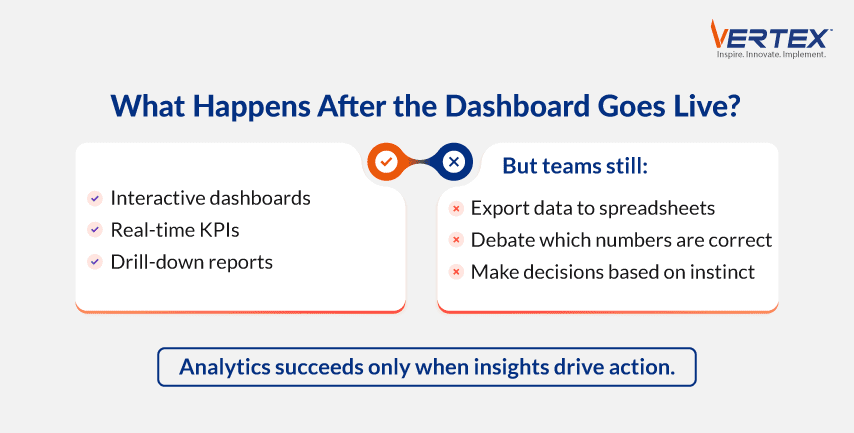
Because even after a successful dashboard launch, nothing really changes.

Teams continue exporting data into spreadsheets.

Meetings revolve around debating which numbers are correct instead of deciding what to do next.

If this sounds familiar, your organization is not alone.

According to a survey by NewVantage Partners, while nearly all large organizations are investing in data and AI, only 27% report having established a data-driven organization.

Infographic on why analytics dashboards fail to change behavior: teams still use spreadsheets and gut-instinct decisions

Here are four common reasons analytics projects fail after the dashboard goes live.

The Dashboard Answers Interesting Questions, Not Business-Critical Ones

One of the most common mistakes is building dashboards around available data rather than around business decisions.

Teams often create reports that display dozens of metrics, but few of them are tied to specific actions or strategic objectives.

For example, a manufacturing dashboard may show production output, downtime, and defect rates.

But if it doesn’t help plant managers identify the root causes of inefficiencies or prioritize corrective actions, it becomes a passive reporting tool rather than a decision-support system.

Successful analytics projects begin with questions such as:

  • Which customers are most likely to churn?
  • Which production lines are at risk of failure?
  • Which regions are underperforming and why?
  • Which operational bottlenecks are driving costs?

When analytics is linked directly to decisions, it delivers measurable value.

Poor Data Quality Undermines Trust

Even the most sophisticated dashboard is useless if users do not trust the data behind it.

Duplicate records, inconsistent definitions, and missing data quickly erode confidence.

According to Gartner, poor data quality costs organizations an average of $12.9 million per year.

Imagine a sales dashboard showing different revenue figures than the finance system.

Instead of discussing performance, leadership spends time debating which number is accurate.

Data governance, validation rules, and clearly defined business metrics are essential to sustaining analytics success.

Insights are not embedded into Daily Workflows

Many dashboards are treated as standalone reporting tools rather than integrated parts of business operations.

Users may review dashboards during monthly meetings, but the insights do not trigger actions.

For example, a customer support dashboard might identify accounts at risk of churn.

But if no automated alerts are sent to account managers and no follow-up process is defined, the insight remains unused.

The most effective analytics initiatives connect insights directly to workflows through tools such as Microsoft Teams, Salesforce, SharePoint, and Power Automate.

This approach makes analytics part of everyday processes, thus driving behavior and positive outcomes.

Adoption and Change Management are Overlooked

Analytics projects often focus heavily on technical delivery and not enough on user adoption.

A beautifully designed dashboard has little value if teams do not understand how to use it or do not see its relevance.

Some successful analytics initiatives include Role-based training, clear ownership of KPIs, and ongoing optimization based on user feedback because the goal is not simply to launch dashboards but to change how decisions are made.

How Vertex Helps Organizations Turn Analytics into Action

At Vertex Computer Systems, we help organizations move beyond attractive dashboards to build analytics solutions that deliver measurable business outcomes.

With deep expertise in data engineering, business intelligence, and advanced analytics, Vertex designs end-to-end solutions that integrate data from multiple systems, establish trusted governance frameworks, and embed insights directly into operational processes.

Our capabilities span modern data platforms, interactive dashboards, predictive analytics, and automation-driven decision workflows.

Backed by more than two decades of experience, Vertex has successfully achieved 100+ implementations and generated an average of over 1 million+ realized ROI for major customer partners.

Our focus extends beyond implementation to ensuring strong user adoption and business alignment, so analytics investments translate into faster decisions, improved efficiency, and sustainable growth.

Connect with our team of data experts today to learn how we can help you transform analytics from a reporting tool into a true competitive advantage.

loader
Vertex Computer Systems is Hiring!Join the Team »
+